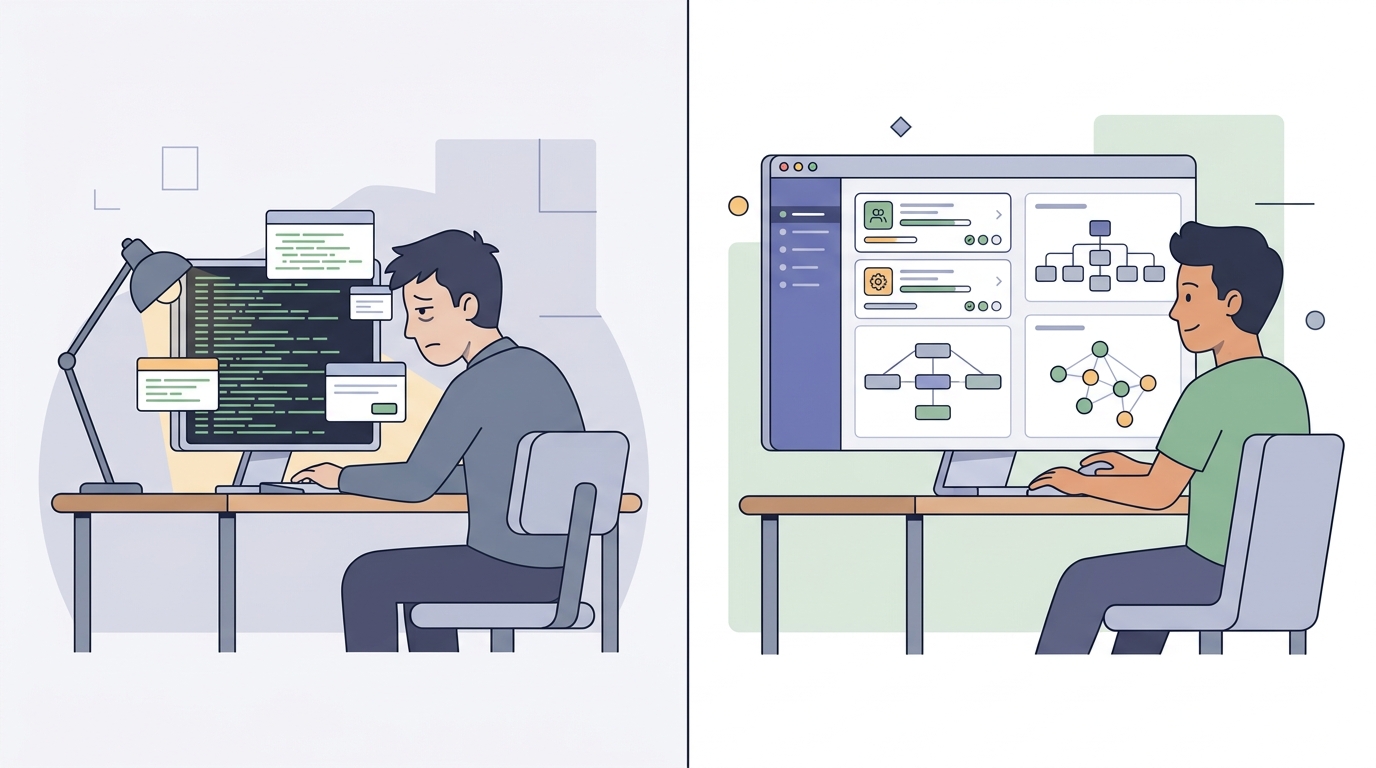
If you spend any serious amount of time pair programming with AI agents, you know the feeling: the text review fatigue.
An LLM can generate 2,000 words of architectural prose or a massive markdown implementation plan in under fifteen seconds. But reading, parsing, and mentally compiling that wall of text to verify whether the agent actually captured your intent? That still takes fifteen minutes of grueling cognitive effort.
The bottleneck in modern software engineering is no longer code synthesis. The bottleneck is intent verification.
Early on, tools like Claude Artifacts, Gemini Canvas, and ChatGPT Canvas demonstrated a better way: an LLM can generate self-contained, interactive HTML/SVG pages just as quickly as raw text. Inspecting a clickable topology map, an interactive state machine simulator, or a live component mockup aligns human and model intent in three seconds flat.
However, keeping these artifacts trapped inside isolated web chat tabs completely breaks real-world software development. Here is why I moved past disposable web canvases and built Artifacts Manager—a local-first, multi-project hub for agent-generated interactive artifacts.
The Flaw of Disposable Local Artifacts
When I first brought visual artifacts into my local terminal and IDE workflows, I did what most developers do: I wrote a custom agent skill that prompted the LLM to output a standalone HTML file and spun up an ephemeral local web server on a random port.
It worked, but the ephemeral workflow quickly hit three major walls:
- Lost Architectural Context: Software architecture is an iterative journey. When designing a complex subsystem—like an edge authentication pipeline or a distributed queue orchestrator—I found myself wanting to revisit trade-off analyses and state charts from two weeks prior. If every artifact is disposable, you either lose the rationale or waste tokens asking the model to re-synthesize it from scratch.
- Missing Reference Grounding for Agents: Past visual artifacts are not just for humans; they serve as high-density grounding context for future agent sessions. A structured artifact detailing service boundaries and data contracts gives a subagent immediate clarity without burning thousands of tokens re-ingesting raw source code.
- The Discovery & Cataloging Nightmare: Ephemeral scripts dump files into
/tmpor obscure subdirectories. Without metadata, tags, or a centralized registry, finding an artifact created three projects ago becomes impossible.
Disposable scripts treat artifacts like scratchpads. But in production systems, architectural artifacts are system records.
Enter Artifacts Manager
To solve this, I built Artifacts Manager (GitHub Repository), an open-source, SvelteKit-powered multi-project management hub and sandboxed visualizer designed specifically for agentic development workflows.
<project-root>/
├── .artifacts-manager/
│   ├── manifest.json              # Structured catalog & searchable tags
│   ├── system-topology.html       # Interactive architecture artifact
│   └── phase-1-vertical-slice.html # End-to-end slice verification
└── src/
The Architecture: Local Manifests + Central Registry
Instead of locking artifacts into a proprietary database, Artifacts Manager uses a decentralized, filesystem-first contract:
- Per-Project Manifest (
.artifacts-manager/manifest.json): Every repository maintains its own artifact catalog checked into version control alongside the code. - Central Project Registry (
~/.artifacts-manager.json): A lightweight daemon tracks registered repositories across your local filesystem. - CLI Utility (
artman): A clean command-line interface allowing developers and AI agents to register projects, index artifacts, and validate schema integrity programmatically.
{
  "version": "1.0.0",
  "projectName": "billing-pipeline",
  "description": "Subscription billing & Stripe webhook orchestrator",
  "artifacts": [
    {
      "id": "webhook-state-machine",
      "title": "Stripe Webhook State Machine",
      "type": "html",
      "file": "webhook-state-machine.html",
      "description": "Interactive state transitions handling out-of-order webhook delivery and idempotent retries.",
      "tags": ["webhooks", "state-machine", "resilience"],
      "createdAt": "2026-08-20T14:30:00.000Z",
      "updatedAt": "2026-08-20T14:30:00.000Z"
    }
  ]
}
Embedding Artifacts into the Agentic Planning Loop
The true power of Artifacts Manager isn’t just viewing static HTML—it is embedding visual artifact generation directly into the agent planning lifecycle.
In my day-to-day workflow, I pair with an agent planner before writing a single line of production code. Here is how visual artifacts transform that interaction:
1. Socratic Grilling with Visual Trade-Offs
When an agent grills a proposed plan or explores conflicting architectural approaches, reading a bulleted pros-and-cons list is slow and prone to ambiguity.
Instead, the planner outputs an interactive HTML artifact for each core architectural conflict. By rendering interactive topology graphs side-by-side with clickable nodes explaining latencies, failure points, and data flows, I can evaluate competing options and make critical decisions in seconds.
[Human Intent] ──> [Planner Agent]
                          │
            ┌─────────────┴─────────────┐
            ▼                           ▼
  [Socratic Grilling]         [Interactive Artifact]
   "Should we use D1 or KV?"   (Side-by-side latency & consistency model)
            │                           │
            └─────────────┬─────────────┘
                          ▼
                  [Fast Decision]
2. Vertical Slice E2E Visualization
I structure complex implementations into vertical slices—phases where each milestone delivers a functional, testable path through the entire stack rather than horizontal layers.
Before executing a phase, the agent generates an artifact mapping that specific slice:
- Which endpoints and database tables are touched.
- What mocks or test fixtures are executed.
- How the end-to-end verification step confirms success.
When the plan is finalized, I can review every phase visually in Artifacts Manager, ensuring total alignment before the coding subagents begin modifying files.
Production Guardrails & Tradeoffs
Adopting interactive HTML artifacts in local workflows introduces real considerations you must architect around:
⚠️ Security & Sandboxing: Never render agent-generated HTML directly in your main application DOM. Artifacts Manager runs all interactive views inside sandboxed
<iframe>containers with strict Content Security Policy (CSP) headers to isolate local runtime execution.
- Storage & Repository Bloat: Large standalone HTML bundles containing inlined dependencies can bloat git history. Artifacts Manager standardizes on CDN-linked runtimes (Tailwind CSS and ESM-loaded Mermaid.js) while keeping artifact file sizes under 20KB.
- When NOT to Use HTML Artifacts: If an explanation is a single sentence or a standard 3-line bash command, forcing an HTML artifact adds unnecessary latency. Reserve visual artifacts for non-trivial topologies, state machines, database schemas, and multi-phase implementation plans.
Try It in Your Workflow
Bringing visual, persistent artifacts into your local development environment fundamentally changes how you collaborate with AI agents. It shifts your role from an exhausted text proofreader to an empowered system architect.
- Explore the Live Hub: artifacts-manager.ericmaster.ninja
- Check out the Source Code: github.com/ericmaster/artifacts-manager
Give local artifact management a try in your next planning session, and stop drowning in LLM text walls.